Get Your Distributed Team Talking with Two Truths and a Lie

Team engagement can be really difficult for remote or distributed teams. In our case, we have a pretty large team composed of in-office, hybrid, and fully remote members. To complicate that even further, our team is spread across the world in multiple different time zones. In this post, I’m going to outline how I set up a game of Two Truths and a Lie and enabled our team to participate, whether they felt comfortable sharing or speaking in front of the group. Below, I’m going to outline the tools we used. There are multiple alternatives to each, so use what works best for you.
Tools
- Web form to collect responses. We used SmartSheets for ours but Microsoft Forms or Google Forms would work too.
- Polling tool to let people vote on lies. We used Slido for this because it is very interactive, keeps score and enabled folks to use their phones to play along and made it much more engaging.
- Presentation tool to display the truths and lies. We used Slido; it made it easy to do it in one place. You could use a Powerpoint or Google Slides too.
The Setup
The first step is to create an intake form for people to submit their two truths and a lie. It can be a basic form with four fields: Name, Truth 1, Truth 2, and Lie. In our case, we sent the form out to about 40 people and received approximately 15 responses, which ended up being perfect for the 30 minutes we had set aside.
After receiving the submissions, build out the questions in Slido. When you create a Slido, you have a variety of options for poll/question types. In our case, we added three sections:
- Quiz - Listed out all the lies
- Multiple Choice - Who had the best lie?
- Multiple Choice - Who had the best truth?
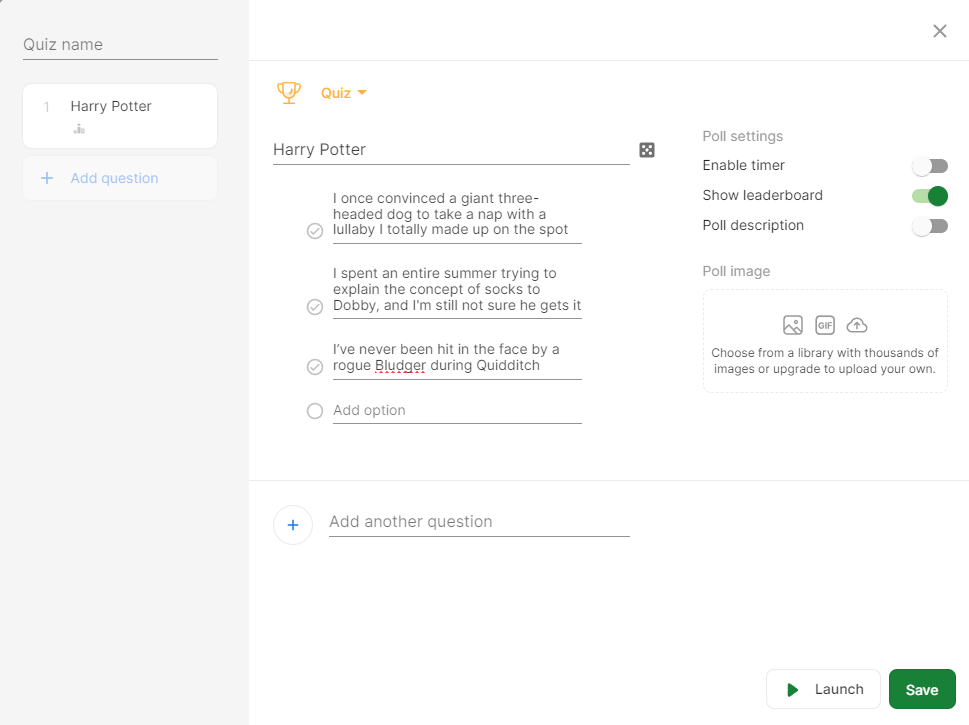
To set up the Quiz section, add a new Quiz. Add in all of the responses from folks interested in playing along. We used their name as the question and their truths and lie as the possible answers. Be sure to randomly order the answers so that the lies aren’t all in the same position. If you’re using Slido too, make sure you toggle the “Show Leaderboard” option on each question. See the screenshot below.
After the quiz section, build out the remaining two questions to see who had the best lie and the best truth. These are multiple-choice questions with a list of everyone’s names who submitted. To keep people engaged, we gave away prizes for those who: 1) got the most correct answers, 2) had the best lie, and 3) had the best truth.
Playing the game
Playing the game is the easiest part! In our scenario, we had about 20 people who were remote and 20 people who were in a conference room in our office.
To start the game, you present your Slido. If you have remote folks, share your screen. Initially, it will load a screen with a large QR code. Anyone who would like to participate can scan the code and will be asked for their name. Slido will show the number of participants in real-time. It works great on a phone or a browser, so folks who are in a room are easily able to play and vote without having their laptops in front of them.

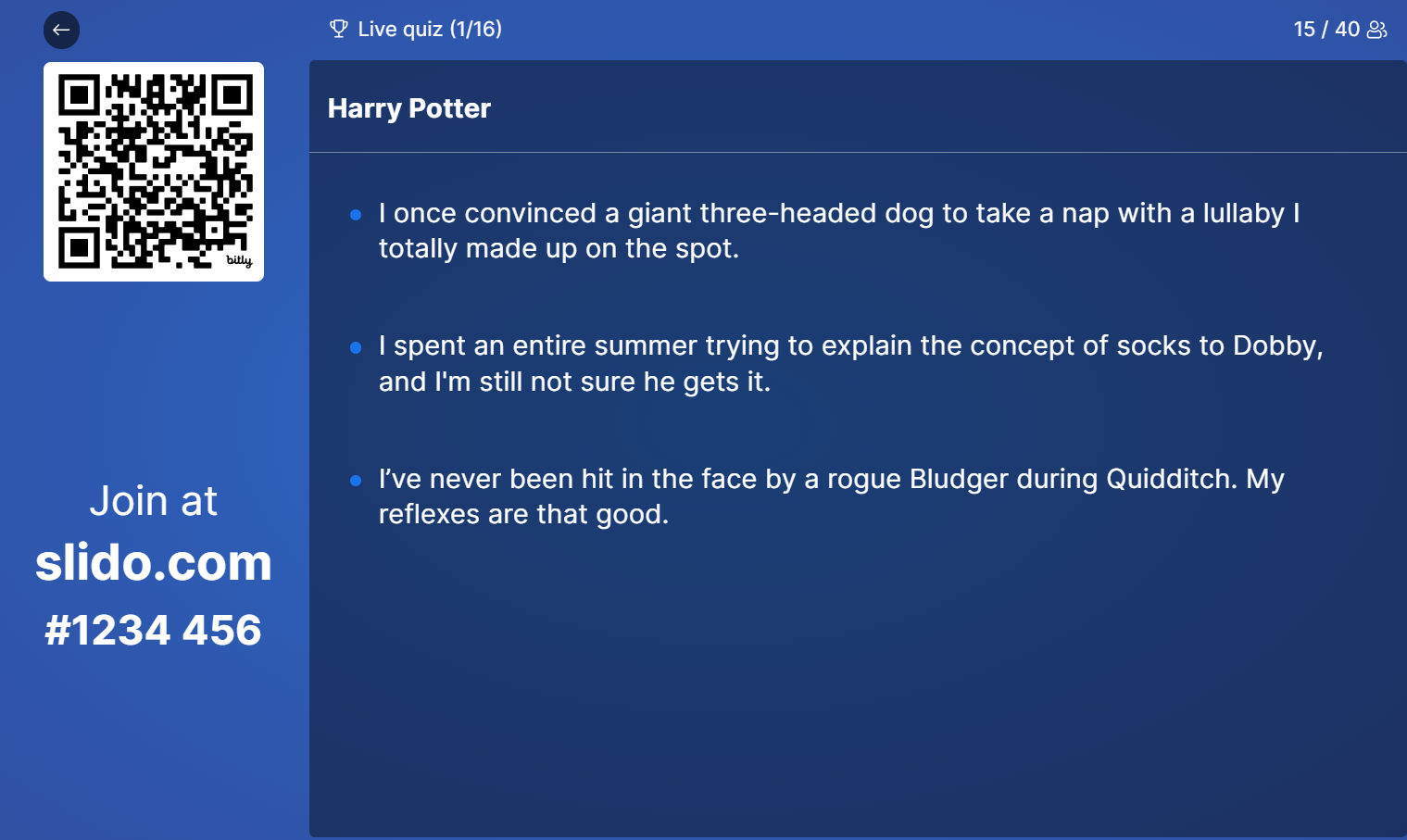
Once everyone has joined, it’s time for the game to start. At this point, you’ll move on to the next slide in the quiz. Then you’ll ask the person to read off their two truths and a lie to the team. They can elaborate or just read verbatim. All of the users who joined the session will be able to vote on their devices to see if they can guess the correct one.
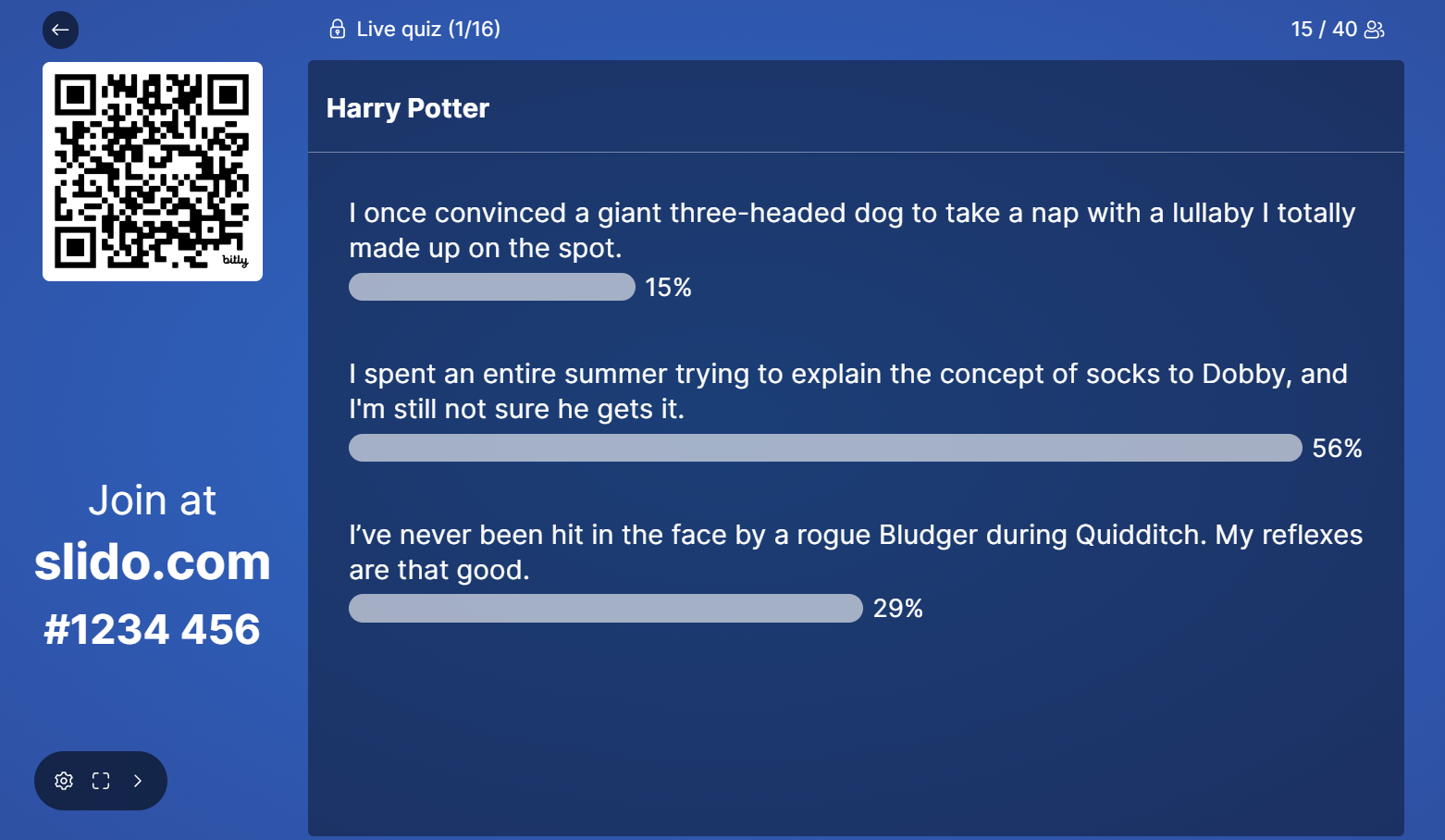
The next screen will show the voting results.
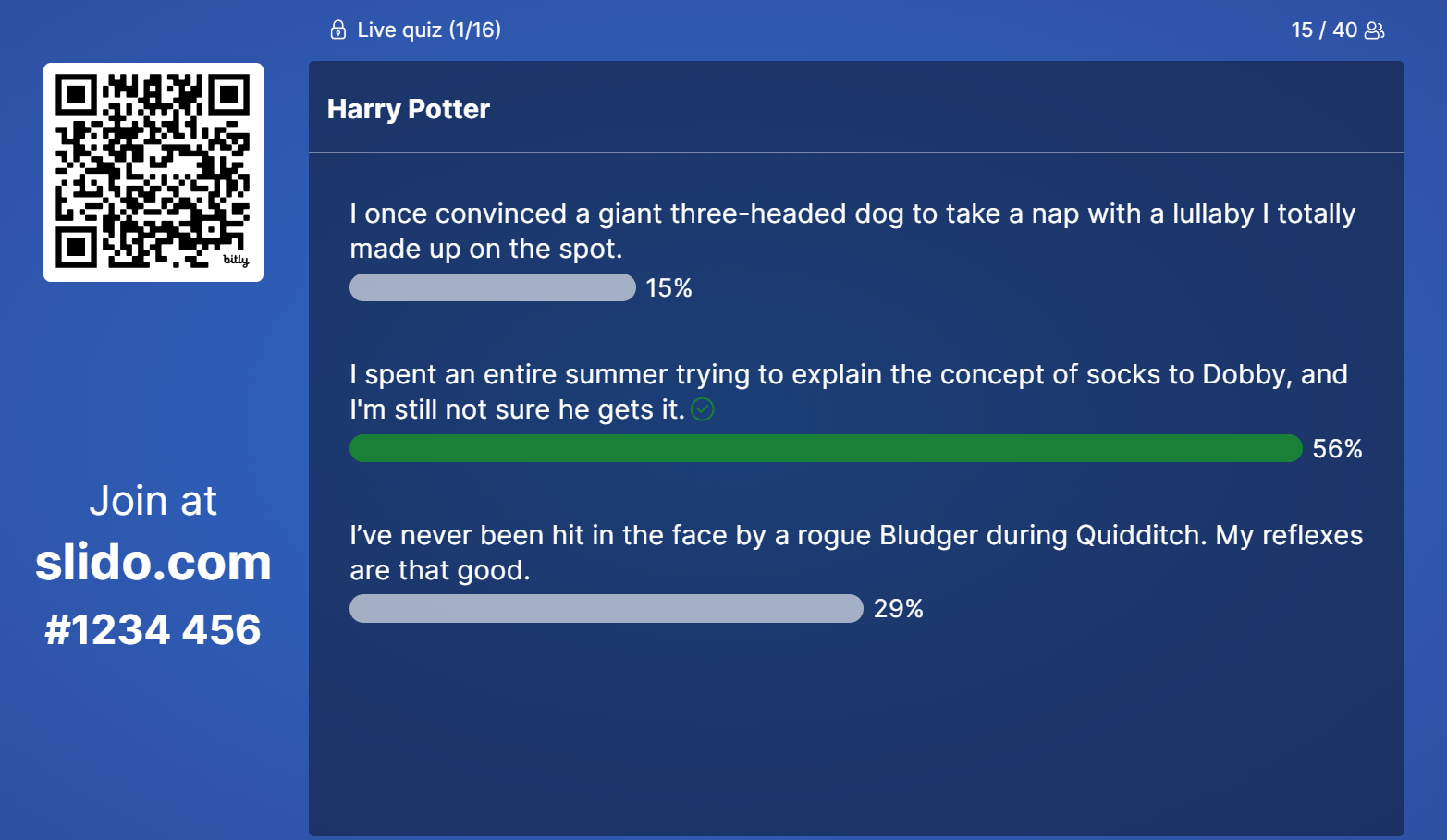
Then comes the big reveal of which is the lie. The next screen will highlight the lie. In our case this was a really fun part of the game. There were very funny reactions to all of the truths, often prompting further explanation of the how the truth went down. It also will give some insight into the individuals life.
After each question the leaderboard will show. This will definiely help fuel the competitive nature of the team.

Once all of the lies have been identified, a final leaderboard will show the winner of the game, and you can announce prizes if you have any. In our case, we gave away some swag.

Final thoughts
Like I said before, team engagement can be tough, especially when everyone’s scattered all over the place. But this game turned out to be a blast for both the folks who shared their truths and lies and those who were guessing. We had some hilarious reactions and got to learn some pretty interesting stuff about each other.
It did take a bit of work to set up, so we won’t be doing it every week, but it’s definitely staying in our lineup of team activities. If you’re looking for a fun way to get your remote team more connected, I’d totally recommend trying this out. It was a great way to break the ice and bring everyone a little closer, no matter where they are.